Soft Structure, Strong Support: Lightly Organizing Your Life with SelfNote’s Smart Categories


Some people love color‑coded calendars, detailed task boards, and perfectly labeled folders.
If that’s not you, you’re not doing anything wrong.
For many of us, strict systems feel heavy. We want to remember more, follow through on what matters, and feel a little more grounded—but we don’t want to spend our evenings managing a complex setup.
This is where a soft structure can help: just enough organization to support you, without demanding a lot from you.
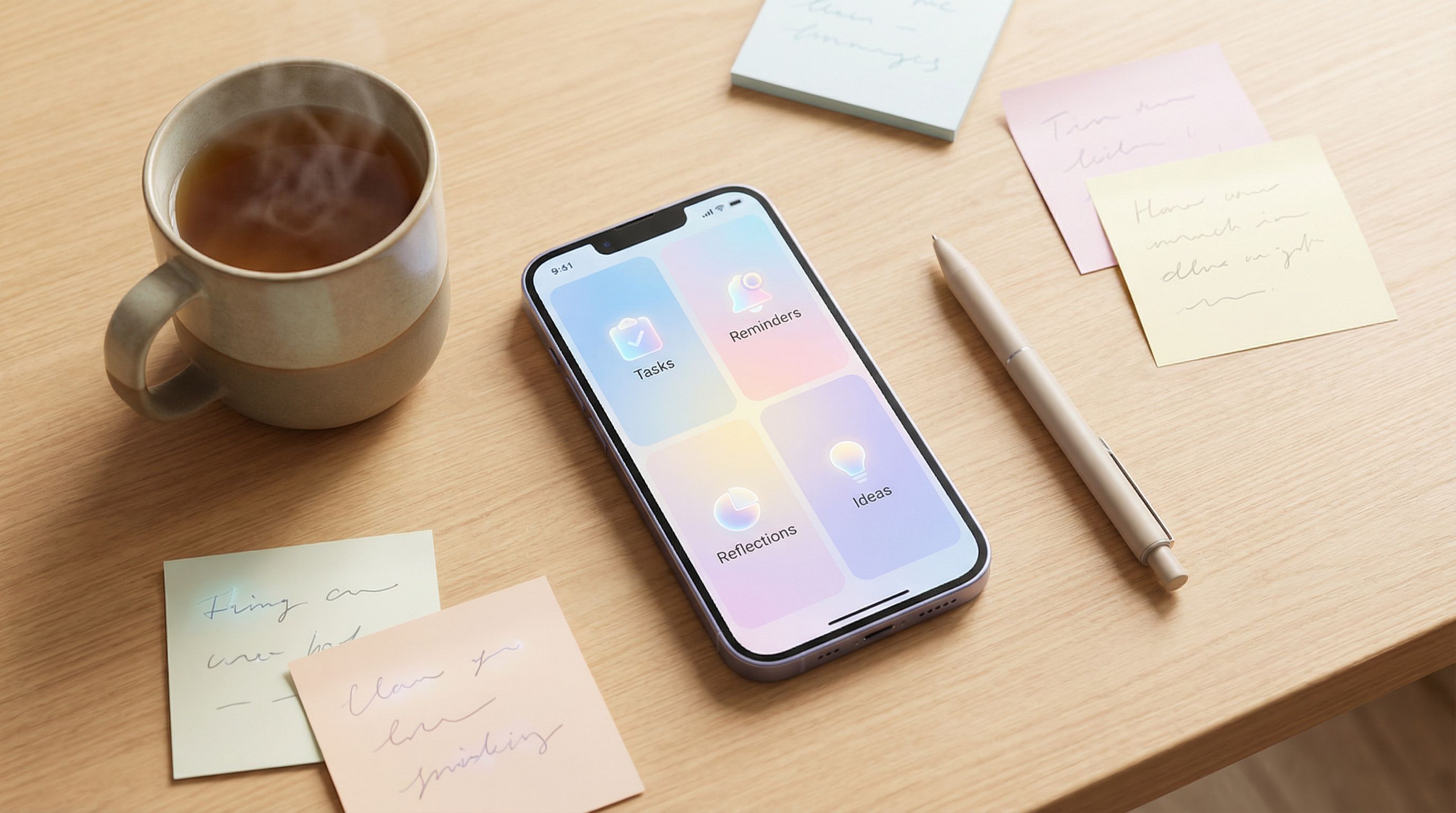
SelfNote was designed with that in mind. You can send it a quick thought, a voice note, or a WhatsApp message, and it quietly sorts things into smart categories—like reminders, tasks, reflections, dreams, and ideas. You get the benefits of structure, without having to build or maintain it yourself.
In this post, we’ll explore how to use those smart categories as a gentle framework: lightly organized, strongly supportive, and easy to live with.
Why “Soft Structure” Helps Your Brain Relax
Most people don’t struggle because they’re disorganized by nature. They struggle because:
- Life throws a lot at them in small pieces.
- Memory is unreliable, especially when you’re tired.
- Traditional systems expect you to be consistent, energetic, and perfectly motivated.
Research in cognitive psychology suggests that our working memory can only comfortably hold a handful of things at once—often quoted as around 4–7 items. Once you’re juggling more than that, it’s normal to feel scattered or forgetful.
Soft structure helps because it:
- Reduces the mental load. You don’t have to hold everything in your head; your notes have a place to land.
- Keeps things findable later. Even if you’re messy in the moment, your future self can search and see what matters.
- Doesn’t punish inconsistency. If you skip a day or a week, nothing breaks. You just start again.
SelfNote’s smart categories are built to give you that kind of safety net: gentle, not rigid.
If you like this idea of a calm, low‑pressure system, you might also enjoy our earlier guide on using SelfNote as a gentle second brain.
How SelfNote’s Smart Categories Work (Without You Doing Much)
When you send something to SelfNote—a typed note, a voice recording, or a WhatsApp message—it doesn’t just store it. The AI quietly looks at what you said and asks:
- Is this a task? (Something to do)
- Is this a reminder? (Something to remember at a certain time)
- Is this a reflection or feeling? (Something about how you’re doing)
- Is this a dream, idea, or plan? (Something you might want to explore later)
- Is this a link, quote, or learning? (Something you might want to revisit)
Then it lightly sorts your note into one or more categories.
You don’t need to:
- Add tags
- Choose folders
- Follow a template
You can simply talk or type like you normally would. For example:
“Remind me next Thursday to call Mom about her doctor’s appointment.”
“I had a dream about changing careers, and it actually felt…possible?”
“I saw a quote about rest not being a reward; I want to remember it.”
SelfNote turns those into:
- A reminder for next Thursday on WhatsApp.
- A reflection/dream you can find later when you’re thinking about work.
- A saved quote/learning inside your quiet archive.
If you’re curious how this feels in practice, our post on using SelfNote to gently sweep up loose thoughts all day walks through real examples.
The Core Categories That Quietly Hold Your Life
You don’t need to memorize a category list to use SelfNote. But it can be helpful to know the main “buckets” your notes will land in.
Think of them like soft shelves—always there, but never demanding.
1. Tasks: “Things I’ll Probably Need to Do”
These are the small and medium‑sized actions that tend to float around in your head:
- “Email Sara the slides.”
- “Buy a birthday card for Dad.”
- “Book dentist appointment.”
How SelfNote supports you:
- Recognizes verbs and intent ("email," "buy," "book") and treats them as tasks.
- Lets you turn any note into a simple to‑do, without opening a separate app.
- Surfaces tasks back to you in gentle lists or WhatsApp reminders, so you don’t have to chase them down.
2. Reminders: “Future Me Will Care About This”
Reminders are for time‑sensitive things:
- “Remind me in two weeks to check the refund on my order.”
- “On March 15, remind me to send Mom flowers.”
- “Every month on the 1st, remind me to review my budget.”
How SelfNote supports you:
- Understands natural language like “next Friday” or “in three days.”
- Sends you a WhatsApp message when it’s time—no need to remember to open the app.
- Lets you design what we call a gentle “future you” inbox, where important things come back to you at the right moment.
If you like this idea, you can go deeper with our guide on designing your ‘future you’ inbox.
3. Reflections & Feelings: “How I’m Actually Doing”
These are notes about your inner world:
- “I felt really anxious after that meeting; I think it’s because I didn’t speak up.”
- “Today felt surprisingly peaceful, even though nothing special happened.”
- “I’m proud of myself for saying no to that extra project.”
How SelfNote supports you:
- Recognizes emotional language and treats it as reflection.
- Groups these notes so you can look back and see patterns over time.
- Helps you build a gentle reflection habit, even if you’re only sending 30‑second voice notes.
For a deeper dive into this side of things, you might enjoy Tiny Voice Notes, Lasting Insight.
4. Dreams, Ideas, and “Maybe Someday” Plans
These are the soft, often fragile thoughts that are easy to lose:
- “Maybe someday I’ll take a month off to travel.”
- “Idea: start a small newsletter for friends about books I’m reading.”
- “What if I switched careers in the next 3 years?”
How SelfNote supports you:
- Notices language like “maybe,” “someday,” “I’d love to,” and treats it as an idea or dream.
- Keeps these notes in a safe, searchable place so they don’t vanish.
- Lets you revisit them when you’re ready and gently turn them into small next steps.
5. Links, Quotes, and Learnings
These are the things you don’t want to lose track of:
- A powerful quote from a book.
- A tutorial you want to try later.
- An article that clarified something important for you.
How SelfNote supports you:
- Detects links and snippets and stores them as learnings.
- Lets you send them straight from WhatsApp or your browser.
- Helps you build a calm library of references, instead of a pile of half‑remembered tabs.
You can see how this works in more detail in our post on saving links, quotes, and learnings without overwhelm.
A Gentle Way to Start: One Week of Soft Structure
You don’t have to “set up” anything to begin. You can simply decide: For the next seven days, I’ll let SelfNote hold whatever I don’t want to carry in my head.
Here’s a simple, low‑pressure experiment you can try.
Day 1–2: Just Capture, No Organizing
For the first two days, focus only on getting things out of your head:
- When you remember a task → send it to SelfNote.
- When you feel something strongly → send a short reflection.
- When you see something you want to remember → send the link or a quick summary.
Use whatever is easiest in the moment:
- A WhatsApp message while you walk.
- A 20‑second voice note when you’re too tired to type.
- A short typed note in the app.
Don’t worry about categories at all. Let the AI handle that.
Day 3–4: Let the Categories Support You
Now that you’ve captured a bit of life, spend 5–10 minutes looking at what SelfNote has done with it.
- Open your recent notes.
- Notice which ones became tasks, which became reminders, and which were tagged as reflections or ideas.
- Ask yourself:
- Is there a task here I want a reminder for?
- Is there a reflection I’d like to revisit in a week or a month?
With a couple of taps or a short message, you can:
- Turn a note into a reminder (“Remind me about this next Wednesday”).
- Mark something as important so it stands out later.
Day 5–6: Add Gentle Time Anchors
Once you’re comfortable, try adding simple time anchors:
- “Tomorrow at 9am, remind me to bring the contract.”
- “In one month, remind me to check in on this idea.”
- “Every Sunday night, ask me how I’m feeling about work.”
You’re not building a rigid routine. You’re just giving your future self a few helpful nudges.
Day 7: Look Back, Gently
At the end of the week, set aside 10–15 minutes to scroll through what you captured.
Ask yourself:
- What surprised me about what I saved?
- Which category feels most helpful right now—tasks, reminders, reflections, ideas, or learnings?
- Is there one small adjustment I’d like to make for next week?
That’s it. No complex review ritual. Just a quiet moment to notice what your week actually looked and felt like.
Using WhatsApp as Your Soft Control Center
One of the easiest ways to keep this soft structure alive is to use SelfNote through WhatsApp.
You’re already there—chatting with friends, sharing photos, sending quick updates. Adding SelfNote as a quiet contact means:
- You can capture anything in the same place you already type all day.
- You can receive reminders right where you’ll see them.
- You don’t have to remember to open a separate app or website.
Here are a few simple WhatsApp patterns you can try:
-
“Note to self” style messages
- “SelfNote, remind me in 2 hours to move the laundry.”
- “I felt really proud of how I handled that conversation today.”
-
Voice notes when you’re tired
- Record a 30‑second ramble. SelfNote will transcribe it, categorize it, and surface the important pieces later.
-
End‑of‑day check‑ins
- “Today I’m grateful for…”
- “One thing that went well today was…”
These tiny, low‑effort messages slowly build a rich, organized archive of your life—without you ever sitting down to “do a big journaling session.”
If you’re curious how far you can go with this, explore our guide on turning WhatsApp chats into a searchable memory.
Letting Categories Evolve With You
The beauty of soft structure is that it can change as you do.
You might notice over time that:
- You lean heavily on tasks and reminders during busy seasons.
- You send more reflections and dreams when you’re in a period of transition.
- You collect more links and learnings when you’re studying or deep in a project.
You don’t have to choose one way of using SelfNote. The categories are there to adapt to whatever you need in that moment.
Some gentle ways to let your system evolve:
- Once a month, scroll through your notes and ask: What am I using the most? What feels missing?
- If a category isn’t helping right now, simply ignore it. There’s no penalty.
- If you notice a new pattern in your life (like health tracking, parenting notes, or creative projects), just start capturing those. SelfNote will find where they belong.
Soft structure means you’re never locked into a system. You’re just supported by one.

Bringing It All Together
Let’s recap what we’ve covered:
- Your brain isn’t a storage system. It’s normal to feel scattered when everything lives only in your head.
- Soft structure helps. A light, flexible framework—like SelfNote’s smart categories—gives your thoughts a place to land without demanding a rigid system.
- Smart categories quietly sort your life. Tasks, reminders, reflections, dreams, ideas, and learnings are all gently organized for you.
- You can start very small. One week of simple capturing—through WhatsApp, voice notes, or quick text—can make a noticeable difference.
- The system grows with you. As your priorities shift, your use of categories naturally adjusts. Nothing breaks if you change.
Underneath it all is a simple promise: you don’t have to hold everything alone.
A Simple Next Step
If this idea of soft structure and strong support feels comforting, you don’t need a big plan to begin.
You can start with just one tiny move:
- Sign up for SelfNote.
- Add it as a contact on WhatsApp.
- Send one message today that you don’t want to carry in your head anymore—a task, a feeling, an idea, or a link.
That’s all.
Let that first note be imperfect and small. Let SelfNote quietly categorize it. Then, when you’re ready, send another.
Over time, those small moments add up to something steady: a soft, supportive structure around your life, holding what matters, so you don’t have to.